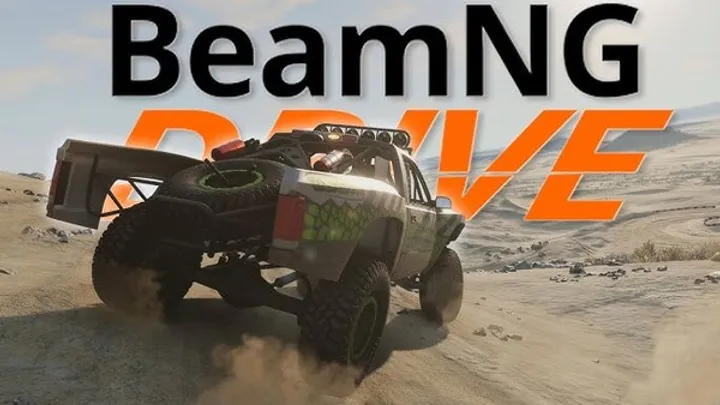



BeamNG.drive is a revolutionary driving simulation game known for its realistic physics and damage modeling. From vehicular maneuvers to intricate customization and even creative scenarios, the game offers vast possibilities for all kinds of players. Whether you are a casual gamer looking to have fun or a serious simulator enthusiast striving for mastery, this guide will provide you with the insights and techniques needed to excel in BeamNG.drive.

Understanding the Basics of BeamNG.drive
Before diving into advanced techniques, it's essential to familiarize yourself with the basics of the game. Knowing how to navigate the interface and understanding key elements will serve as a solid foundation for your gaming experience.
Setting Up the Game
The first step in your BeamNG.drive journey is proper setup. Make sure that your system meets the game’s requirements for optimal performance.
System Requirements
- Minimum Requirements: These may include a basic GPU and CPU; however, for the best experience, a mid-range or higher setup is recommended.
- Controls Setup: Customize your controls based on your preferences, especially if you are using a wheel setup or a gamepad.
Exploring the User Interface
Familiarize yourself with the main menu and in-game interface. Understanding where things are can save you time and enhance your enjoyment.
Key Menu Features
- World Selection: Choose from various maps and scenarios.
- Vehicle Selection: You can pick from an extensive roster of vehicles, each with unique characteristics and performance metrics.
Mastering Vehicle Dynamics
Understanding vehicle dynamics is crucial for success in BeamNG.drive. The game's realism comes from its attention to how vehicles behave under various conditions.
Steering and Control
Proper steering techniques can make a significant difference in your driving experience.
Techniques for Better Control
- Throttle Control: Gradually apply the throttle rather than slamming it down to prevent loss of traction.
- Braking: Use smooth braking techniques. Pumping the brakes can cause instability.
Understanding Physics
BeamNG.drive offers an unparalleled physics engine, so understanding how vehicles interact with the environment is key.
Deformation and Damage
Each vehicle behaves differently when it comes to damage, leading to unique driving experiences.
- Crashes: The way a vehicle crumples helps you understand its structural weaknesses.
- Performance: Damage can lead to changes in handling and performance; pay attention to these changes after collisions.
Enhancing Your Driving Skills
Improving your driving skills in BeamNG.drive will enhance your overall experience.
Practice Makes Perfect
Dedicate time to drive different types of vehicles under various conditions to gain experience.
Recommended Practices
- Circuit Racing: Try racing on circuits to develop cornering techniques.
- Off-Roading: Experiment with off-road vehicles on challenging terrain to improve vehicle control.
Participating in Challenges
Engage in user-created challenges and scenarios to test your skills.
Types of Challenges
- Time Trials: See how fast you can complete a given course.
- Destruction Testing: Test vehicles under extreme conditions and see how they hold up.
Customizing Your Vehicle
Customization isn't just for aesthetics; it can also improve your vehicle's performance.
Vehicle Modification Basics
Understanding how to modify vehicles can give you an advantage in various scenarios.
Key Modifications to Consider
- Suspension Tuning: Adjusting your suspension can dramatically change how a vehicle handles on different terrains.
- Engine Upgrades: Consider upgrading your engine to improve performance and speed.
- Weight Distribution: Adjusting weight can affect handling and balance.
Using the Vehicle Editor
The in-game vehicle editor allows for extensive modifications.
Steps to Modify Your Vehicle
- Access the Editor: Open the vehicle editor from the main menu.
- Select Parts: Choose which parts you want to modify or replace.
- Test Changes: Always test your modifications in different scenarios to ensure optimal performance.
Exploring the World
BeamNG.drive features a range of diverse environments. Exploring these can greatly enhance your experience.
Types of Maps
Familiarize yourself with the different types of maps available in BeamNG.drive.
Map Categories
- Racetracks: Great for testing speed and racing skills.
- Off-road Trails: Ideal for testing all-terrain vehicles.
- Urban Environments: Perfect for learning how to navigate traffic and obstacles.
Discover Hidden Features
Many maps have hidden features or shortcuts that can enhance gameplay.
Tips for Exploration
- Look for ramps, jumps, or off-the-beaten-path trails that might offer unique challenges.
- Drive around in free roam mode to discover new areas.
Advanced Driving Techniques
Once you're comfortable with the basics, delve into advanced driving techniques to elevate your skills even further.
Drift Techniques
Mastering drifting can turn an ordinary drive into an exhilarating experience.
How to Drift
- Weight Transfer: Shift your weight to initiate the drift; this can be done by turning and applying throttle simultaneously.
- Throttle Control: Maintain a steady throttle during the drift to keep control.
Using Nitrous Oxide
If your vehicle has a nitrous button, knowing when to use it can significantly impact your speed.
Nitrous Tips
- Straightaways: Use nitrous on straight paths for maximum acceleration.
- Warm-Up: Wait until you’ve built some speed before activating nitrous to maximize its effectiveness.
Troubleshooting Common Issues
Even the most seasoned players face challenges when playing BeamNG.drive. Recognizing common issues can save you time and frustration.
Performance Issues
If you're experiencing slow frame rates or lag, there are several steps to improve performance.
Optimization Tips
- Lower Graphics Settings: Start by reducing the quality of graphics settings.
- Update Drivers: Ensure your graphics drivers are up-to-date for better optimization.
- Close Background Applications: Free up system resources by closing unnecessary applications.
Gameplay Glitches
Occasionally, you may face glitches that impact your experience.
How to Fix Glitches
- Restart the Game: A simple restart often resolves common bugs.
- Check for Updates: Ensure that your game is fully updated, as patches frequently fix known issues.
Community and Resources
The BeamNG.drive community is vast and filled with resources for players looking to improve.
Engaging with the Community
Join forums and groups to share tips, tricks, and experiences with other players.
Recommended Communities
- Official BeamNG Forum: A hub for players to discuss strategies, challenges, and updates.
- Reddit: The r/BeamNG subreddit offers discussions, memes, and user-created content.
Utilizing Online Tutorials
Many players create video content showcasing advanced techniques and tutorials.
Sources for Learning
- YouTube Channels: Look up dedicated BeamNG.drive channels for walkthroughs and challenges.
- Twitch Streams: Watching live gameplay can impart useful strategies and techniques.
Conclusion: Becoming a BeamNG.drive Expert
Mastering BeamNG.drive is a fulfilling journey that requires practice, patience, and a willingness to learn. By understanding vehicle dynamics, honing your driving skills, customizing your vehicle, and engaging with the community, you can elevate your gameplay and enjoy the vast possibilities the game offers. Remember, the key to success in BeamNG.drive lies not just in driving fast, but in driving smart.